


 Friendys
 United Ukraine
 Bidfax
 Оплаты
 GenAp group chat
 Adsline MarketPlace
Cars With Apple CarPlay: What to Check First
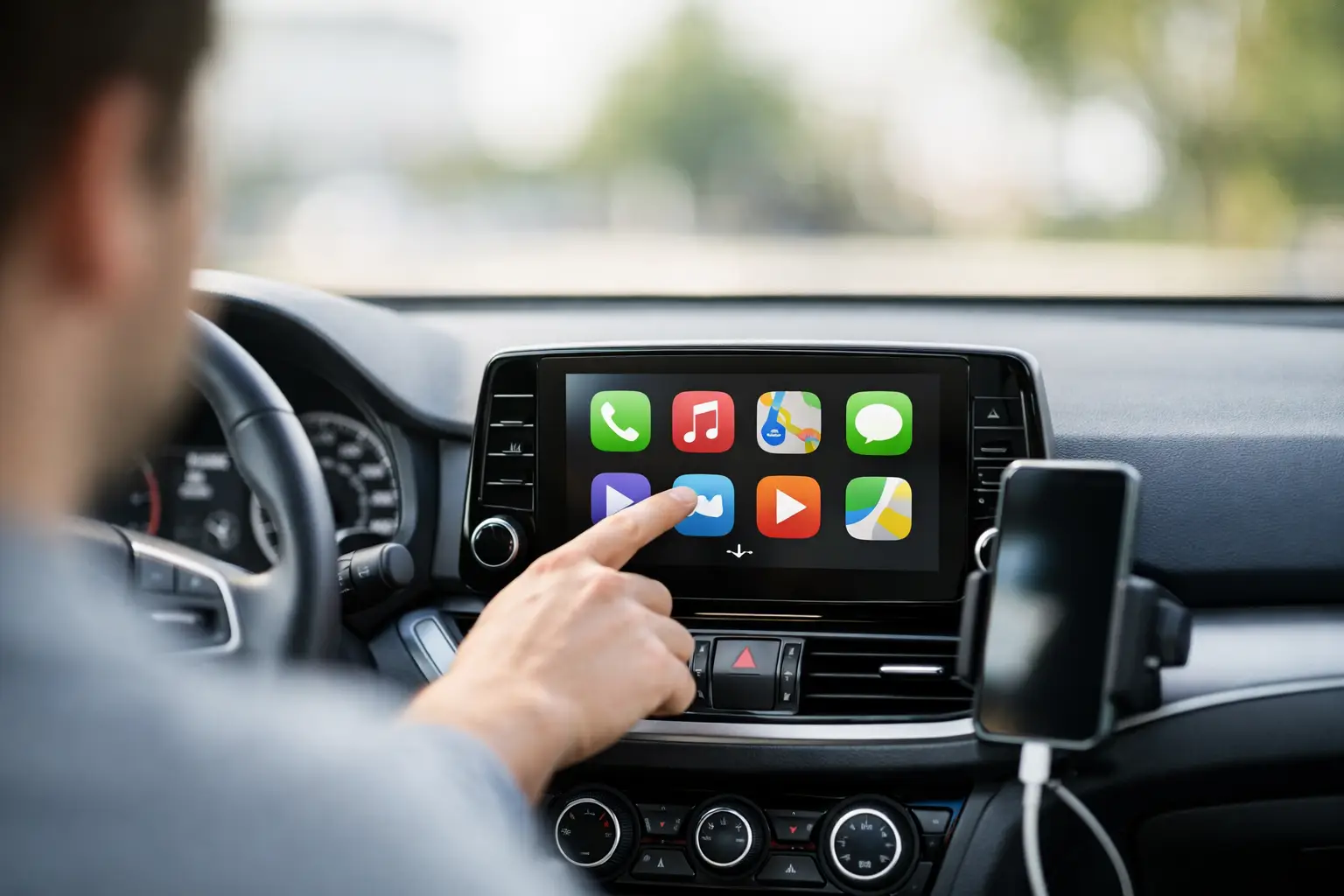
A clean touchscreen can make a used-car listing look newer than it is, but cars with Apple CarPlay are only a better buy if the feature works with your phone, fits your driving habits, and does not hide bigger infotainment issues. For many shoppers, CarPlay is not a luxury add-on. It is the daily connection to maps, calls, messages, podcasts, and music.
That makes it worth checking as carefully as mileage, title status, tire condition, backup camera operation, and service history. A seller saying “Apple CarPlay” is a good start. The details behind that phrase are what protect your deal.
What Apple CarPlay actually adds
Apple CarPlay puts selected iPhone functions on the vehicle’s center display. Instead of mounting your phone on the dash or relying on an older built-in navigation system, you can use compatible apps through the vehicle screen and voice controls. Apple Maps, Google Maps, Waze, phone calls, messages, music, audiobooks, and podcasts are common reasons buyers want it.
The practical benefit is familiarity. A factory navigation system may have dated maps, slow input, or expensive updates. CarPlay uses the apps and destinations already on your iPhone. If you drive for work, commute through changing traffic, or regularly make long trips, that can matter more than a premium audio badge.
CarPlay does have limits. It requires a compatible iPhone, and the available apps, screen layout, and controls vary by vehicle and iOS version. It does not make an old infotainment system fast, repair a weak USB port, or add every modern safety feature to the vehicle.
Not all cars with Apple CarPlay work the same way
The biggest difference is wired versus wireless CarPlay. Wired systems require an iPhone cable connected to a designated USB port. Wireless systems pair through Bluetooth and Wi-Fi, allowing the phone to connect without plugging in each time.
Wired CarPlay is usually simple and dependable. It also charges the phone while you drive, which is useful when navigation is running for hours. The trade-off is cable clutter and wear on the cable, phone port, or vehicle USB port. A frayed cable can cause random disconnects that look like a vehicle problem.
Wireless CarPlay is more convenient for short trips and daily errands. Get in, start the vehicle, and your maps and music can appear automatically. But wireless use can drain phone battery faster, and some systems take longer to connect or occasionally fail to reconnect. In a used vehicle, test it with the seller’s phone if possible, then test with your own before money changes hands.
Screen size matters too, but not in the same way for every buyer. A seven-inch screen may be perfectly usable in a compact sedan, while a larger display is easier to read in a full-size truck, cargo van, or family SUV. Look at screen placement, glare, touch response, physical volume controls, and whether the system blocks too much of the screen with climate controls.
Check the exact year, trim, and equipment package
CarPlay availability is not as simple as checking the make and model. It can change by model year, trim level, factory package, and whether the vehicle has the original head unit. One trim may include it as standard equipment while another needs an option package. Midyear updates and regional configurations can create more exceptions.
This is especially relevant when comparing used vehicles. A listing for a 2017 model may show a photo of a CarPlay screen, while another 2017 vehicle with the same badge may not support it. Do not assume that a newer screen or navigation icon means CarPlay is present.
Ask the seller to confirm the feature in the vehicle settings or send a clear photo of the infotainment menu. If the vehicle identification number is available, use it to verify factory equipment through the manufacturer, dealer records, or a reliable build-data source. The VIN can also help confirm trim, drivetrain, engine, and other equipment that affects value.
Aftermarket head units complicate the picture. An aftermarket radio can be a smart upgrade, particularly in older trucks, work vans, and vehicles with weak factory technology. It can also be installed poorly. Check that the dash trim is secure, steering-wheel controls work, the backup camera displays correctly, the microphone is clear, and there are no exposed wires or missing factory functions.
Test CarPlay before you make an offer
A five-minute test can reveal more than a feature list. Bring an iPhone with a current iOS version, a known-good cable if the system is wired, and enough battery charge to complete the connection. If the seller prefers not to pair your phone, ask them to demonstrate the feature fully on theirs.
Start the vehicle and connect the phone. Confirm that CarPlay launches without repeated error messages. Open a map, set a destination, play audio, make a hands-free call, and use the voice button. Check whether sound comes through every speaker and whether the call microphone picks up your voice without static.
Pay attention to small problems. A screen that freezes, random audio dropouts, laggy touch input, or a USB port that only charges intermittently can point to a failing cable, a software issue, or a more expensive infotainment repair. Some problems are easy fixes. Others require a dealer update, a replacement USB module, or an entire head unit.
If the vehicle offers wireless CarPlay, turn the vehicle off, wait briefly, restart it, and see if it reconnects. A system that works only after several attempts may become frustrating fast. Also check whether the phone overheats in its usual storage spot, especially if the car has a wireless charging pad. Wireless charging and wireless CarPlay can create more heat during long navigation sessions.
CarPlay is valuable, but it should not set the price alone
For a buyer choosing between similarly equipped vehicles, factory CarPlay can be a meaningful advantage. It is often more useful than factory navigation, and it may reduce the need for an aftermarket upgrade. It can improve resale appeal too, particularly on late-model sedans, crossovers, pickups, and family vehicles.
Still, it should not outweigh the fundamentals. A clean-title vehicle with documented maintenance, good tires, working safety equipment, and a well-kept interior is generally a stronger purchase than a neglected vehicle with a large screen. The same is true when comparing clean, rebuilt, and salvage-title vehicles. CarPlay does not change the title history, prior damage, repair quality, or insurance implications.
For private sellers, accurate feature descriptions build trust and reduce wasted messages. State whether CarPlay is factory-installed or aftermarket, whether it is wired or wireless, and whether it has been tested recently. Include a photo of the active CarPlay screen if possible. Buyers looking through AutoDeal listings can use those details alongside mileage, title condition, camera equipment, drivetrain, VIN information, and seller terms to compare vehicles faster.
For buyers, ask whether the original USB cable, manuals, and factory radio components are included. Those items are not always essential, but they can be useful if an aftermarket system needs troubleshooting later. If a seller says CarPlay was “added,” ask who installed it and when.
When CarPlay may not be the deciding feature
Some shoppers need priorities that go beyond phone integration. A contractor shopping for a cargo van may care more about payload, shelving, roof height, engine condition, and service records. A buyer considering an older low-mileage vehicle may prefer original equipment and accept a phone mount. Someone who uses Android phones should look for Android Auto rather than paying extra for a CarPlay-only system.
There is also a case for buying the better vehicle first and upgrading the radio later. If an older truck has the right engine, maintenance history, cab configuration, and price, a quality aftermarket CarPlay unit may cost far less than stepping up to a newer vehicle. Just budget for professional installation when camera retention, steering-wheel controls, amplifiers, or vehicle settings are involved.
The right screen should make ownership easier, not distract from the vehicle underneath it. Verify the feature, test it with your phone, and keep the rest of the listing under the same clear light. That approach leads to fewer surprises after the keys are in your hand.
 Russian
 English
 French
 Spanish
 Portuguese
 Deutsch
 Turkish
 Dutch
Dutch
 Italiano
 Romaian
 Portuguese (Brazil)
 Greek
Greek
