


 Friendys
 United Ukraine
 Bidfax
 Plăţile
 GenAp group chat
 Adsline MarketPlace
Used Car Backup Camera: What Buyers Should Check
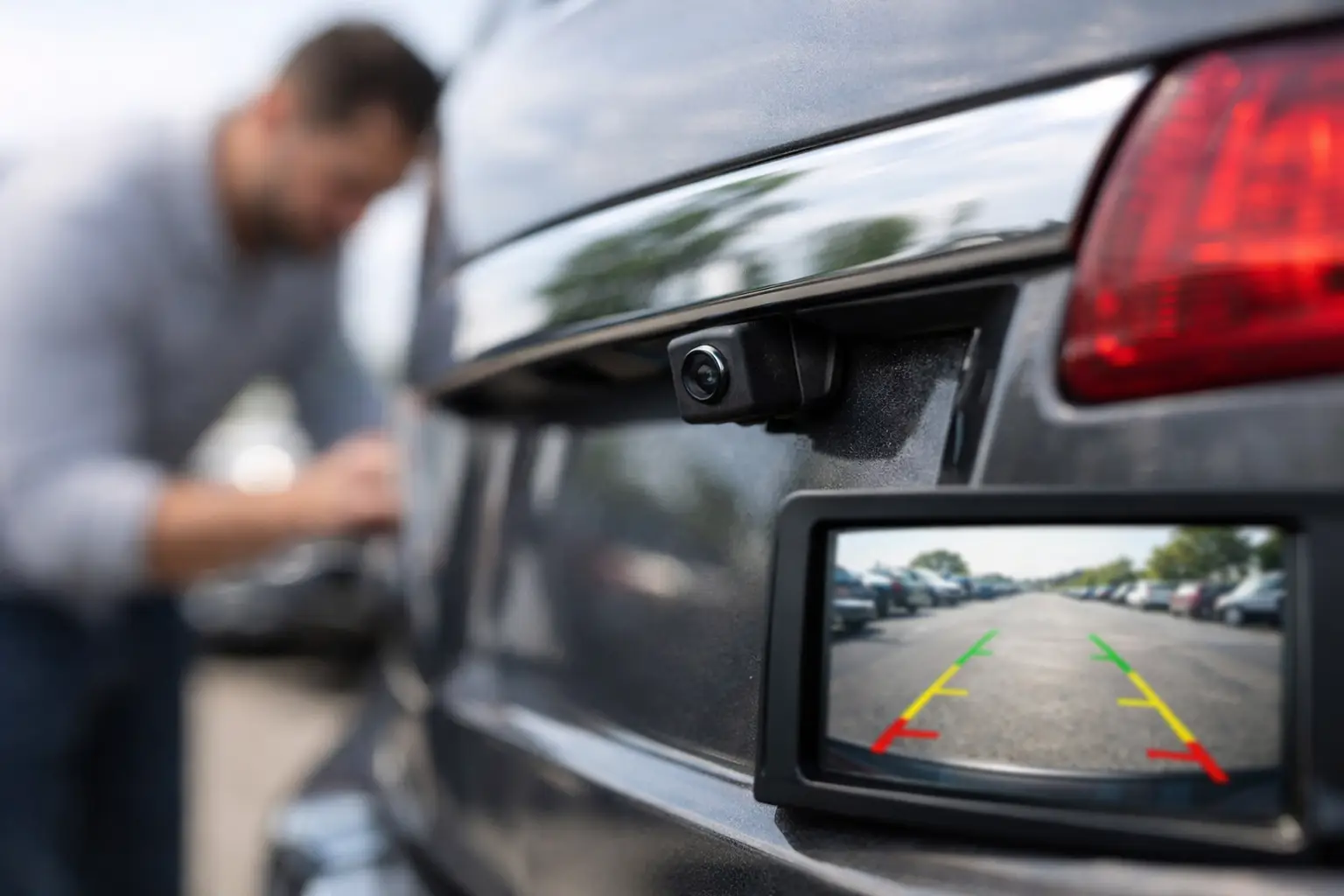
A used car backup camera can look like a minor line item in a listing, right up until you pull out of a crowded grocery-store space, back toward a trailer hitch, or hand the keys to a new driver. It is not a substitute for mirrors, shoulder checks, or attention. But a clear, fast-working camera is a practical feature that makes daily driving easier and can add real appeal when it is time to resell.
For used-car shoppers, the question is not simply whether the vehicle has a camera. You need to know whether it works every time, whether the image is usable in poor light, and whether a repair is likely to involve a simple camera replacement or a larger infotainment-system diagnosis. Here is how to evaluate the feature before you make an offer.
Why a Used Car Backup Camera Deserves a Real Test
Backup cameras became required on new passenger vehicles sold in the United States beginning with the 2018 model year. That means most 2018-and-newer cars, SUVs, pickups, and vans should have one from the factory. Many earlier vehicles have factory cameras too, while others were fitted with aftermarket systems.
The difference matters. A factory camera is usually integrated with the vehicle screen, wiring harness, parking guidelines, and reverse signal. An aftermarket camera may work perfectly well, but installation quality varies widely. A loose connection, exposed wiring, a poorly mounted camera, or a screen added to the rearview mirror can change both the repair path and the value of the feature.
Do not assume the camera works because it appears in the equipment list. A seller may not have noticed a delayed image, a cracked lens, or intermittent screen failure. On a private-party sale, a quick test protects both sides from a surprise after the deal. On a dealer listing, it is still worth confirming the condition in person.
Test the Camera Before You Talk Price
Start the vehicle and place it in reverse with your foot firmly on the brake. The camera image should appear promptly, generally within a second or two. Look for a full-color image that is sharp enough to identify curbs, shopping carts, and low objects behind the vehicle.
Then test it in the way you will actually use it. Turn the steering wheel and watch whether the dynamic guidelines move, if the vehicle has them. Back slowly toward a painted line or safe fixed object, leaving plenty of room. The image should remain stable rather than flickering, freezing, or dropping to a black or blue screen.
A good used car backup camera check includes more than one shift into reverse. Shift from park to reverse, then drive, then reverse again. Intermittent problems often show up after the system has been used several times or after the vehicle has warmed up.
If you are inspecting the vehicle during daylight, ask to see the camera under shade or near dusk if possible. Low-light performance varies by model and age. A camera that is merely average at night is not necessarily defective. One that shows only noise, severe glare, or an unusable dark image needs closer attention.
Inspect the Lens and Its Location
Walk behind the vehicle and find the camera itself. It is often located near the trunk release, license plate, tailgate handle, or rear hatch. Check for a cloudy lens, moisture inside the housing, cracks, impact damage, or a camera that sits loose in its mounting point.
On pickups and SUVs, camera lenses get dirty quickly. That alone can create a hazy image, so ask whether the lens can be cleaned before assuming it has failed. A camera mounted in a tailgate also deserves a wiring check if the tailgate has been replaced, damaged, or heavily used for work.
For cargo vans and work trucks, take extra care around rear upfit equipment. Ladder racks, box bodies, towing gear, aftermarket bumpers, and trailer wiring can interfere with visibility or point the camera at an unhelpful angle. A camera that only shows the edge of a hitch or rear door is not doing much for the next owner.
Know What the Common Symptoms Can Mean
Not every poor camera image points to the same repair. The screen, camera module, wiring, reverse-light circuit, liftgate harness, and infotainment unit can all be involved. These common symptoms give you a more useful starting point for a seller conversation or pre-purchase inspection:
- A consistently blurry image may be a dirty, scratched, or failing camera lens.
- A black screen with a warning message can point to a camera, wiring, module, or display issue.
- An image that cuts out when opening a liftgate or tailgate often suggests wiring damage near the hinge area.
- A screen that freezes, reboots, or has problems beyond the camera may indicate an infotainment-system issue instead.
Repair costs depend heavily on the vehicle. An accessible aftermarket camera can be inexpensive to replace. A factory camera on a luxury vehicle or a newer model with integrated driver-assistance features may require programming, calibration, or more labor. Avoid treating every camera problem as a quick $50 fix.
If the seller says the camera only needs a fuse, ask whether they have confirmed that diagnosis. A fuse is possible, but it is also an easy explanation for a problem that has not been properly inspected.
Factory Camera, Aftermarket Camera, or No Camera
A factory unit usually provides the cleanest ownership experience when everything works. It often activates automatically, fills the main display, and may include trajectory lines, a 360-degree view, a trailer view, or parking sensors. It can also be more expensive to diagnose when it fails.
An aftermarket camera is not automatically a negative. A quality installation can be especially useful on older sedans, classic cars, commercial vans, and trucks that did not leave the factory with modern visibility tech. Look for tidy routing, protected connections, a stable image, and a display that does not block important mirror visibility or create electrical glitches.
A vehicle without a camera can still be the right deal. On a lower-priced used vehicle, condition, title status, maintenance records, tires, brakes, and drivetrain health carry more weight. If the vehicle otherwise checks out, adding a well-installed camera later may be more sensible than passing on it solely because the feature is missing.
Check the Camera Alongside Other Rear-Visibility Features
The camera works best as one part of the vehicle's rear-visibility package. If the listing claims rear parking sensors, test those too. Listen for consistent warning tones and make sure the sensors are not damaged, painted over, or missing after a bumper repair.
If the vehicle has blind-spot monitoring, rear cross-traffic alert, or a 360-degree camera system, test those features during a safe drive or have a qualified shop inspect them. These systems can be affected by collision repairs, replacement bumpers, damaged mirrors, or calibration issues. A clean title does not guarantee there has been no repair work, and a rebuilt-title vehicle deserves especially careful verification of every safety and convenience feature.
Also check the rear glass, mirrors, defroster, and wiper where equipped. A camera is helpful, but it cannot compensate for poor overall rear visibility. This is particularly relevant for SUVs with dark tint, passenger vans with limited rear windows, and work vehicles carrying tools or cargo.
Put Camera Condition in the Listing or Offer
Sellers can prevent needless messages by describing the backup camera accurately. State whether it is factory or aftermarket, whether it displays on the center screen or mirror, and whether there are any known issues. If the camera image is clear and the guidelines work, say so. If the lens has cosmetic wear or the feature works intermittently, disclose it before a buyer travels to inspect the vehicle.
Buyers should use the finding proportionately. A failed camera on an otherwise well-maintained vehicle is a valid negotiation point, not always a deal breaker. Get an estimate when possible and factor in the inconvenience, especially if the vehicle is used for deliveries, family transportation, towing, or crowded urban parking.
When comparing listings on AutoDeal, treat the backup camera like any other listed feature: verify it, ask direct questions, and look at the full condition picture. Mileage, VIN details, title history, service records, damage disclosures, and the seller's willingness to communicate clearly will tell you more than a single equipment checkbox.
The best next step is simple: before you commit, put the vehicle in reverse yourself. A 30-second camera test can reveal whether you are getting a useful everyday feature, a small negotiating lever, or a repair project that belongs in the price.
 Romaian
 English
 French
 Spanish
 Portuguese
 Deutsch
 Turkish
 Dutch
Dutch
 Italiano
 Russian
 Portuguese (Brazil)
 Greek
Greek
